
Download Gilisoft Audio Recorder Pro – Free, Secure Audio Capture Tool for Windows & macOS
Overview: Why Gilisoft Audio Recorder Pro Stands Out
Gilisoft Audio Recorder Pro, developed by GiliSoft International LLC, is a versatile multimedia utility designed to capture any sound that plays on your computer. Whether you need to record streaming music, online video audio, or a live podcast broadcast, this tool puts a powerful recorder at your fingertips. The software supports both internal and external audio sources, meaning you can tap directly into your sound card for pristine playback capture or plug in a microphone to record live commentary, voice‑overs, or gaming sessions. One of the strongest selling points is its ability to maintain optimal audio quality while offering flexible output formats such as MP3, WAV, and WMA. This ensures that your recordings are ready for immediate sharing, editing, or archiving without additional conversion steps.
Beyond basic recording, Gilisoft Audio Recorder Pro includes an “Auto Record” scheduler, enabling users to define precise start‑and‑stop times for unattended capture. This is especially handy for recording radio streams, scheduled webinars, or recurring podcasts. The user interface is clean and intuitive, with a clear “Record,” “Pause,” and “Stop” layout, plus a real‑time waveform preview that helps you monitor levels as you capture audio. While the software is powerful, it also respects legal boundaries: users are reminded not to repost or sell captured content without proper rights, aligning the product with ethical recording practices.
Overall, Gilisoft Audio Recorder Pro blends professional‑grade features with an approachable design, making it suitable for beginners who need a simple solution and power users who demand granular control over their audio capture workflow.
Key Features That Make Recording a Breeze
- Universal Audio Capture: Record internal sound card output, external microphones, or any combination of sources simultaneously.
- Multiple Output Formats: Choose from MP3, WAV, and WMA, with customizable bitrate and sample rate settings for optimal fidelity.
- Auto‑Record Scheduler: Set precise start and stop times for hands‑free recording of streaming media, radio, or scheduled broadcasts.
- Real‑Time Waveform Preview: Visual feedback helps you monitor levels, avoid clipping, and adjust input gain on the fly.
- Hotkey Support: Assign keyboard shortcuts for instant start, pause, and stop actions without leaving your primary application.
- Audio Enhancements: Built‑in noise reduction and equalizer controls let you clean up recordings before saving.
- Secure File Management: Automatic file naming, folder organization, and optional encryption keep your recordings safe.
- Lightweight Engine: Minimal CPU usage ensures smooth performance even on older machines while recording high‑quality audio.
Each feature is crafted to reduce the friction often associated with audio capture. For instance, the auto‑record scheduler eliminates the need for third‑party task managers, while hotkey support lets gamers capture in‑game commentary without pausing the action. The inclusion of noise reduction tools is a thoughtful touch, especially for podcasters who may record in less-than‑ideal environments. Moreover, the software’s ability to output directly to popular formats means you can skip time‑consuming post‑processing, making Gilisoft Audio Recorder Pro a time‑saving ally for creators.
Security is another focal point. Recorded files can be encrypted with a password, ensuring that sensitive material—such as interview recordings or proprietary audio—remains protected. The program also auto‑creates backups of the most recent recordings, reducing the risk of data loss due to accidental deletion or system crashes.
Installation & Usage: Step‑by‑Step Guide
Downloading the Installer
Start by visiting the official Gilisoft website or a trusted software distribution platform. Look for the “Download Gilisoft Audio Recorder Pro” button, which typically offers a Windows (.exe) and macOS (.dmg) version. The file size is under 30 MB, making it quick to download even on slower connections.
Installation Process
- Run the installer (double‑click the .exe or .dmg file).
- Accept the End‑User License Agreement and choose your preferred installation folder.
- Select optional components, such as desktop shortcuts or the hotkey service.
- Click “Install” and wait for the progress bar to complete (usually less than a minute).
- Launch the application from the Start Menu (Windows) or Applications folder (macOS).
First‑Time Setup
Upon launching, the program walks you through a brief wizard:
- Audio Source Selection: Choose “System Audio” to capture playback or “Microphone” for external input. You can also enable “Mixed Mode” to record both simultaneously.
- Output Folder: Define where recordings will be saved. The default is a “Gilisoft Recordings” folder in your Documents directory.
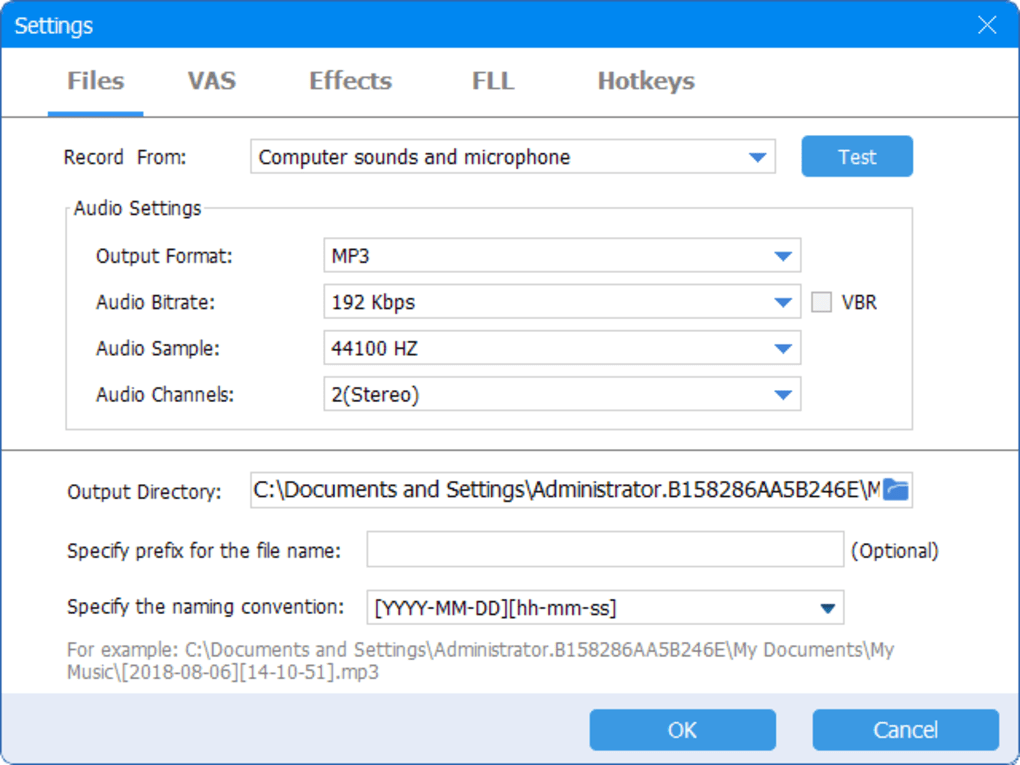
- Format Preferences: Pick MP3 (128 kbps default), WAV (44.1 kHz/16‑bit), or WMA. Advanced users can tweak bitrate and sample rate.
Recording a Session
With sources configured, simply click the large red Record button. The waveform preview appears instantly, showing real‑time audio levels. Use the Pause button if you need a break, and Stop when you’re done. The file is automatically saved in your chosen folder, and a pop‑up confirms the location.
Advanced Usage: Scheduler & Hotkeys
To set up an automatic recording, navigate to Tools → Auto‑Record Scheduler. Here you can define:
- Start and end times (24‑hour format).
- Target source (system, mic, or both).
- Output format and destination folder.
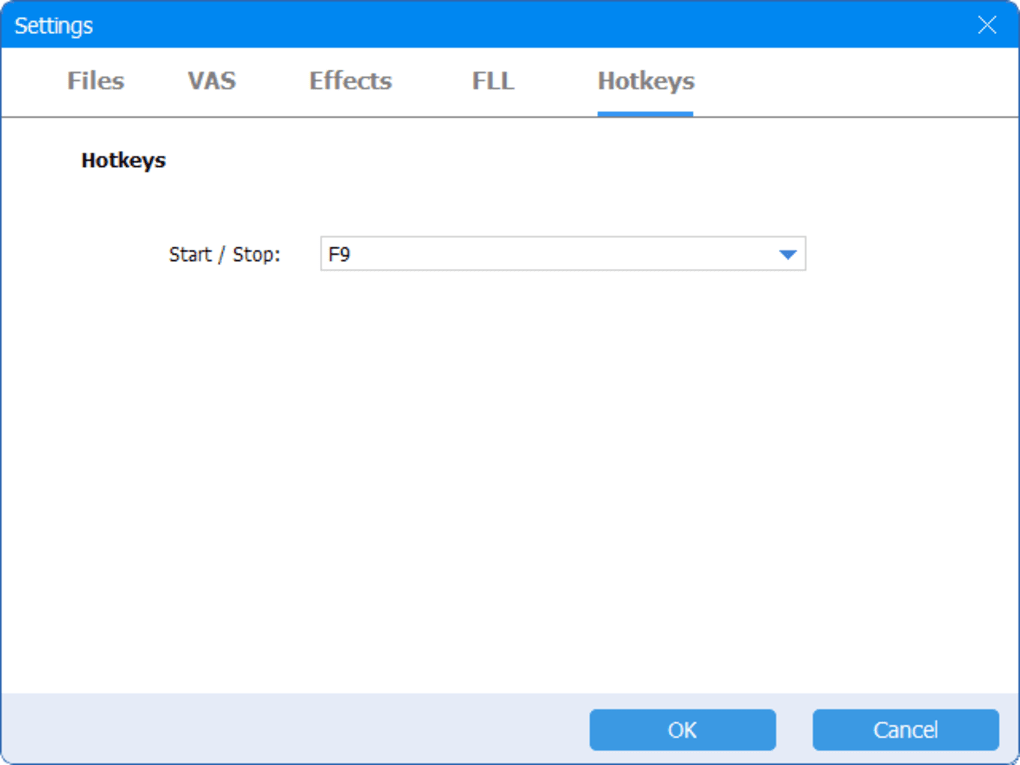
For hotkeys, go to Settings → Hotkeys and assign keys such as Ctrl+Alt+R for record, Ctrl+Alt+P for pause, and Ctrl+Alt+S for stop. These shortcuts work globally, even when the recorder window is minimized.
Overall, the installation and usage flow is designed to get you recording within minutes, whether you’re a casual user capturing a favorite song or a professional podcaster archiving daily episodes.
Compatibility, Pros & Cons: What You Need to Know
Operating System Support
Gilisoft Audio Recorder Pro runs smoothly on Windows 10, Windows 11, and macOS 10.15 (Catalina) or later. The software leverages native audio APIs—WASAPI on Windows and Core Audio on macOS—ensuring low‑latency capture and high fidelity across both platforms. While a Linux version is not officially offered, many users report successful operation through Wine, though official support is limited.
Pros
- High‑Quality Capture: Direct sound‑card access preserves original bitrate without compression artifacts.
- Flexible Output Options: MP3, WAV, and WMA with customizable settings suit any workflow.
- Auto‑Record Scheduler: Ideal for unattended sessions like radio streams or scheduled webinars.
- Lightweight Footprint: Minimal CPU and RAM usage, allowing background operation on older machines.
- User‑Friendly Interface: Clean layout, real‑time waveform, and intuitive controls lower the learning curve.
- Hotkey Integration: Seamless recording without leaving your primary application.
- Security Features: Optional encryption and automatic backup protect valuable recordings.
Cons
- Limited Platform Reach: No native Linux version; macOS support starts only from Catalina.
- Free Version Restrictions: The trial version imposes a 10‑minute recording limit per file.
- Advanced Editing Missing: The app focuses on capture; users must export recordings to third‑party editors for post‑production.
- Pricing Transparency: Full license cost is not displayed on the download page, requiring a separate inquiry.
Balancing these strengths and weaknesses, Gilisoft Audio Recorder Pro is best suited for users who prioritize reliable, high‑quality capture over built‑in editing capabilities. The scheduler and hotkey support set it apart from many free alternatives, while the lack of a Linux client may be a deal‑breaker for open‑source enthusiasts.
FAQ & Final Thoughts: Your Questions Answered
Frequently Asked Questions
-
Can I record protected streaming services like Spotify or Netflix?
Gilisoft Audio Recorder Pro can capture any audio that passes through your sound card, including streams from services such as Spotify or Netflix. However, it is the user’s responsibility to respect copyright laws and service terms; redistribution of copyrighted content without permission is illegal.
-
Is there a completely free version without time limits?
The software offers a free trial that limits recordings to 10 minutes per file. To unlock unlimited recording, you need to purchase a license.
-
Can I schedule recordings for multiple days at once?
Yes. The Auto‑Record Scheduler allows you to create recurring tasks by selecting the “Repeat” option (daily, weekly, or custom intervals) and setting start/end times for each occurrence.
-
Does the program support 64‑bit Windows?
Absolutely. Both 32‑bit and 64‑bit versions are available for Windows 10 and Windows 11, ensuring compatibility with modern hardware.
-
How do I encrypt my recordings?
During the Save dialog, click the “Encrypt” checkbox and set a password. The file will be saved with AES‑256 encryption, which can be decrypted later within the same application using the same password.
Conclusion & Call to Action
Gilisoft Audio Recorder Pro delivers a robust set of features that cater to both casual listeners and professional creators. Its ability to capture high‑quality audio from any source, combined with a powerful scheduler and secure file handling, makes it a standout option in the crowded audio‑recorder market. While the lack of a native Linux version and the trial’s recording limit may give some users pause, the overall value—especially for Windows and macOS users—justifies the investment.
If you’re ready to secure crystal‑clear recordings of music, podcasts, webinars, or any other audio content, download Gilisoft Audio Recorder Pro today. Install the software in minutes, set up your preferred sources, and start capturing with confidence. For unlimited recording and full feature access, consider purchasing the licensed version directly from the official website.
Overall Rating: 4.5/5
Pros: High‑quality capture, scheduler, hotkeys, secure encryption.
Cons: No native Linux support, trial time limit.







